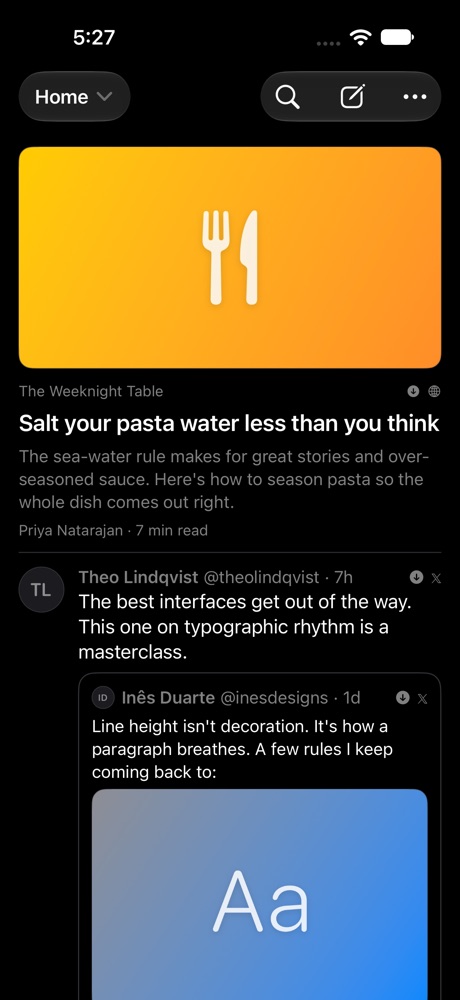
Keep what you love online. Share any post, article, video or profile to Tuck and it keeps a clean copy on a private timeline that’s yours alone, even after the original is gone.
Coming soon to the App Store
01
How it works
Save
Share anything. Keep it for good.
Tap Share in Safari or any app and choose Tuck. Posts, articles, videos and profiles are saved as a clean copy on your device, so they’re still there when the original is deleted, the account goes private or the link stops working.
Feed
It reads like the place it came from.
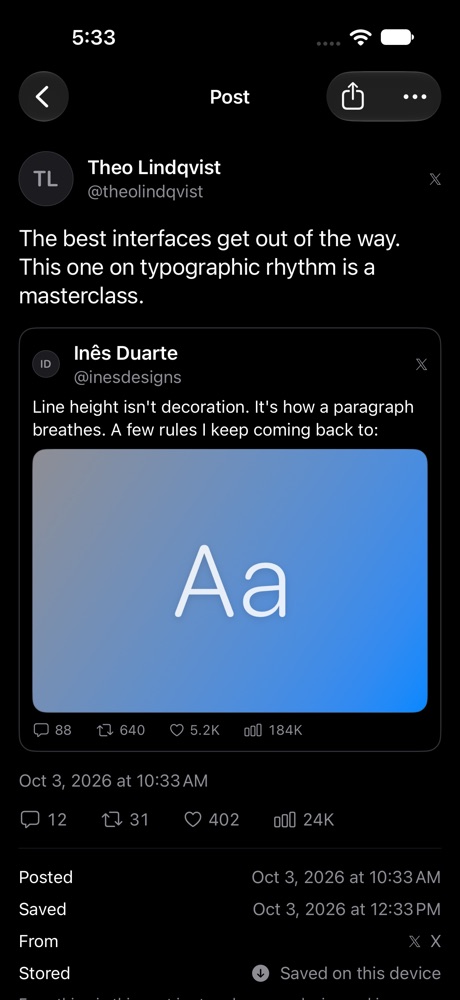
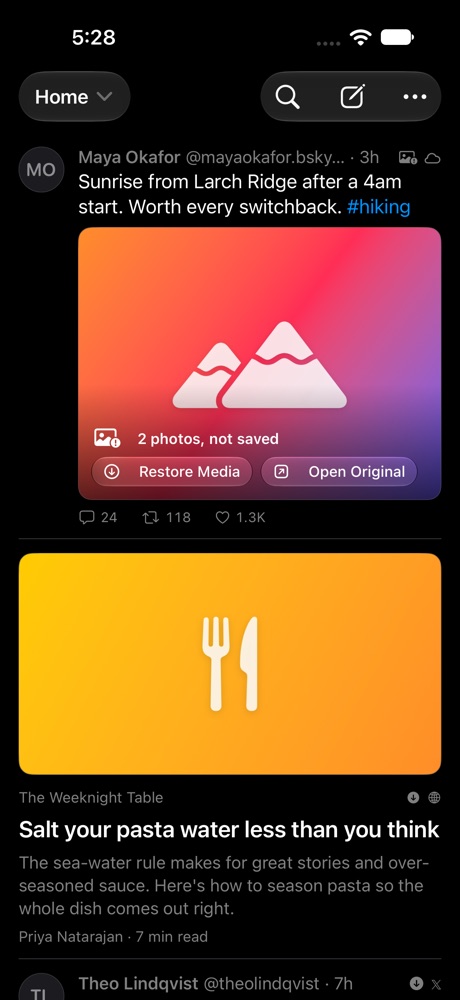
Posts keep their author, text, photos, video, quoted posts and a snapshot of their likes and reposts. Scroll your saves like a social feed, tap a video to play it, and swipe up for the next one.
Timelines
Your own timelines, your rules.
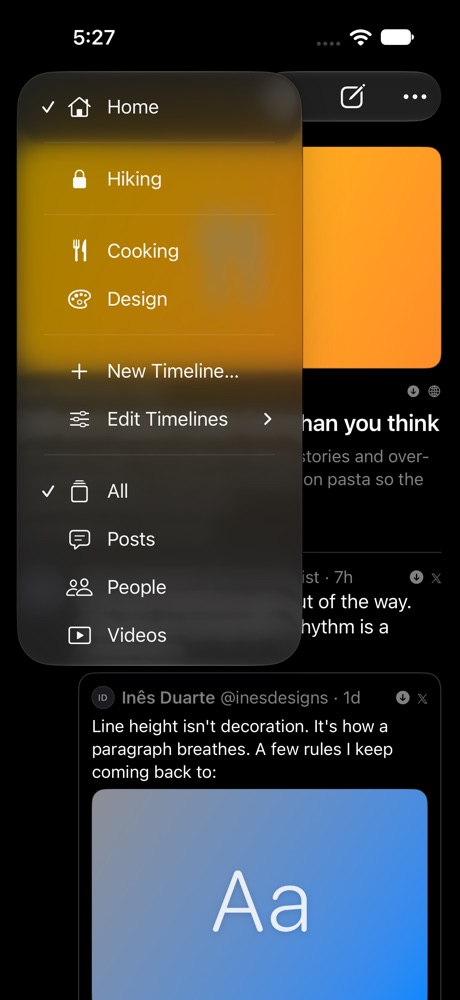
Everything lands in Home. Make timelines like Cooking or Hiking, pick them as you save, and switch with one tap. Keep a timeline out of Home, or lock it with Face ID so its posts stay hidden until you open it.
Read
Articles, without the clutter.
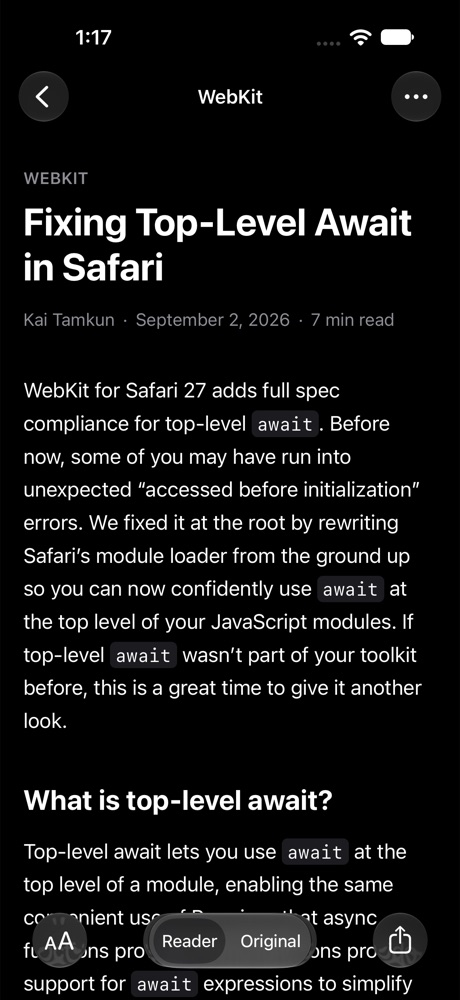
Saved articles open in a calm reader with your choice of font, size and theme. The original page is saved too, so you can switch to it and read offline.
Choose
Decide what you keep.
Keep full photos and videos, or just the post and a thumbnail. Turn media saving off for a whole timeline, remove it from one post, and restore it later. Posts without saved media can still play through the platform’s own player when you’re online.
Platforms
Works with what you already use.
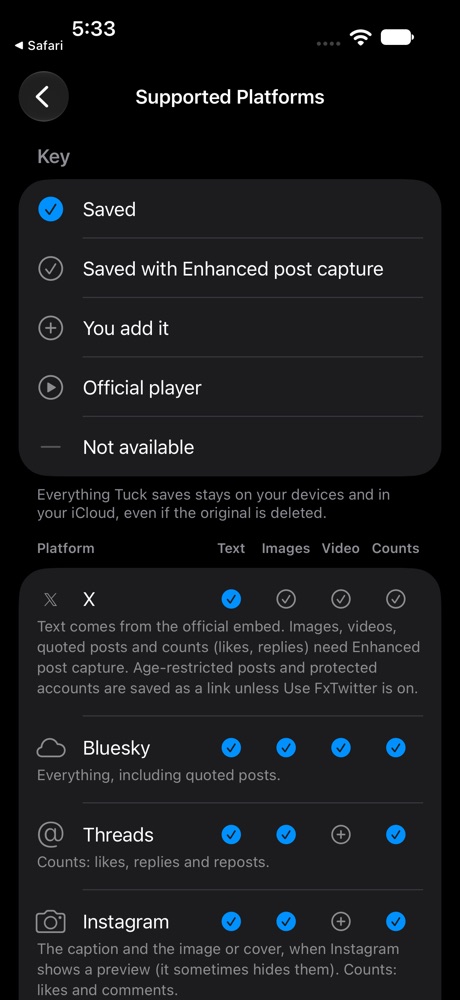
X, Bluesky, Threads, Instagram, TikTok, YouTube, Facebook and RedNote, plus any website. Tuck saves everything each platform allows, and the app lists exactly what that is.
02
Small touches that add up
// private by design
Private by design
No account and no tracking. Everything is stored on your devices and synced through your own iCloud. Pages are fetched from your device, never through our servers.
Search everything
Find posts by their text, author or site, and even by words in their images.
Your own posts
Write notes with photos, videos and links straight into any timeline, and edit them later.
Videos that play
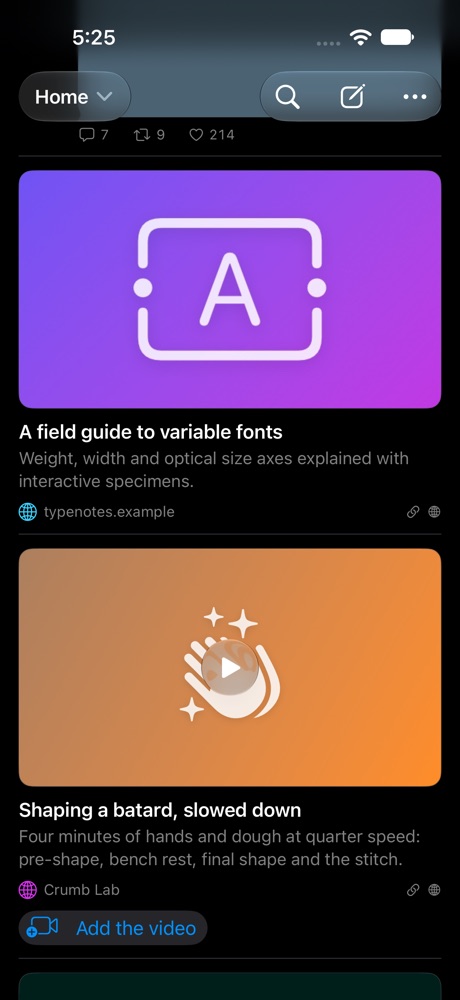
Saved videos play right in the feed. Tap one and swipe up to keep watching your saves.
Any link, nicely
Links from any site become a tidy card with its title, image and site, and video pages get a play button.
iPhone, iPad and Mac
Your timelines on every device, with a Mac app that has room for a sidebar and the reader side by side.
Keep what you love
Tuck is coming soon as a free download on the App Store for iPhone, iPad and Mac.